Configure a static IP address
PMP provides the ability to configure a static IP address on your motion controller. This guide will show you how to:
Initial discovery of a controller using Dynamic Host Configuration Protocol (DHCP) or Link-Local Address (LLA).
Configure a static IP address.
Note
Configuring a static IP address is only supported for physical motion controllers. Attempting to configure a static IP address on a simulated motion controller has no effect.
Prerequisites
Before continuing with this guide, please make sure that the following prerequisites are met:
PMP should be installed. Follow the Installation quick-start guide if this is not yet the case.
Initial discovery of controller
By default, a PMP motion controller is configured to use DHCP. When the controller is connected to a (local) network, or directly connected to a host PC, it can be discovered using the PMP Tooling. Using the broadcast address 255.255.255.255 all discoverable motion controllers in the network are enumerated in the PMP Tooling (see also Discover system). When your network has a DHCP server and also supports a Domain Name System (DNS) service, the controller can be discovered by the host name printed on the Prodrive product information label on the product housing (see product specific user manual for details about the product information label). If no DHCP server is available on the network (or host PC), the controller automatically falls back to LLA (and is discoverable using the broadcast address).
Start the PMP Tooling and discover the controller:
Click on the Discover button (1)
Fill the broadcast address (255.255.255.255) or (when available) the controller host name (2)
Then click on the Connect button (3)
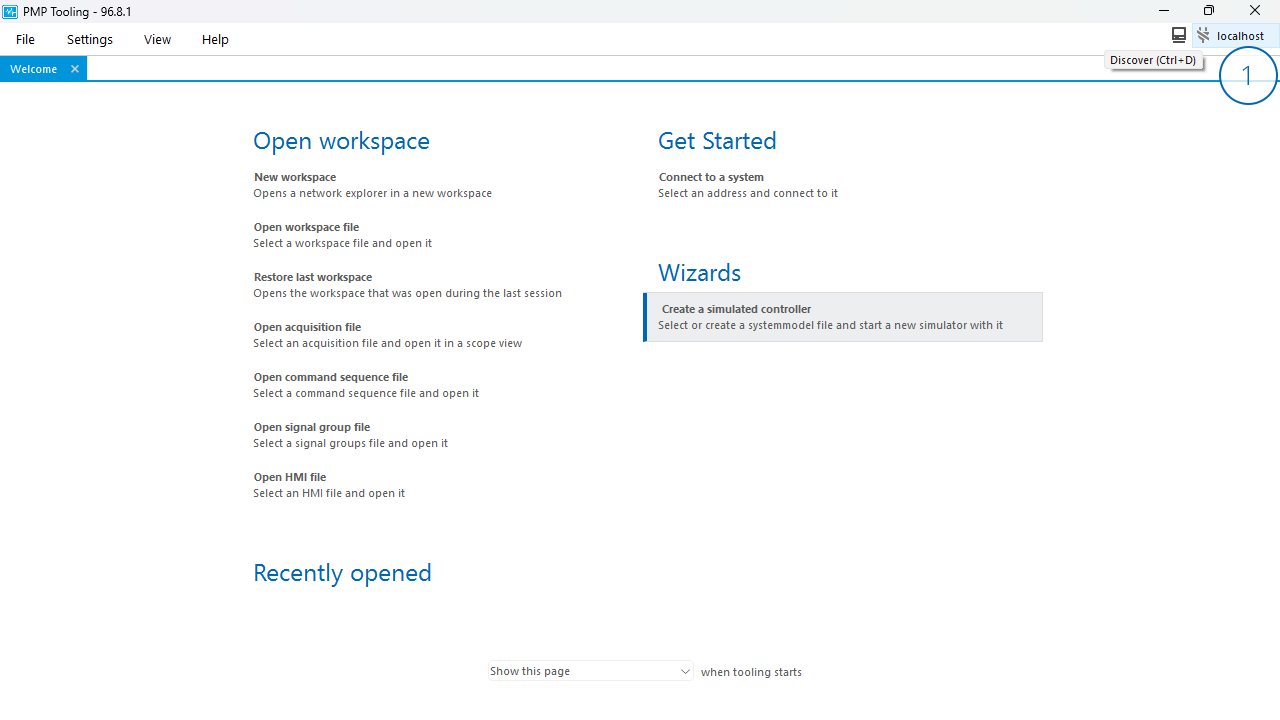
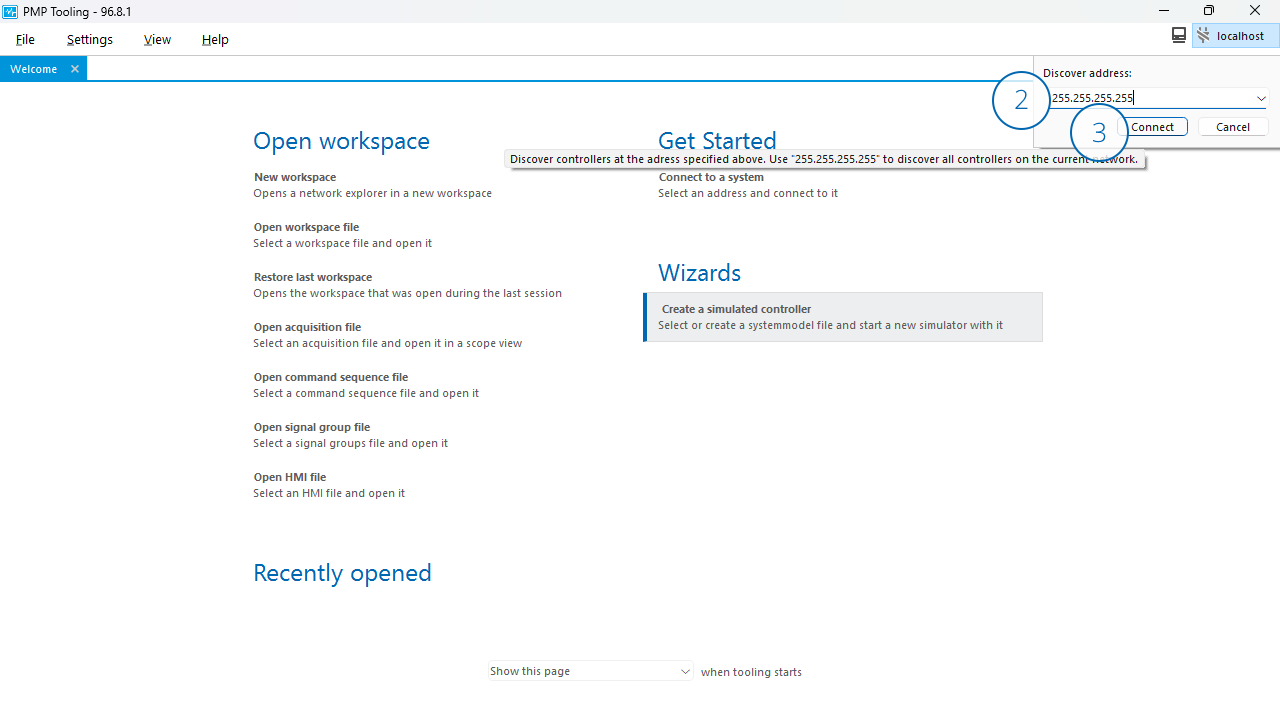
The PMP motion controller should now become visible in the network explorer (see also Network explorer).
Static IP address configuration
A static IP address can be assigned to the controller either by using the PMP Tooling (see Configure IP settings) or the PMP API. In this guide we’ll focus on configuring a static IP using the PMP Tooling.
Start the PMP Tooling and configure a static IP:
Right-click on the controller in the network explorer and then click Set IP address settings… (1)
The Set IP address settings dialog opens, select from the IP adressing mode drop-down menu (2)
Fill the desired static network settings (fields IP address (3), Subnet mask (4) and optionally the Gateway (5)) and then click OK (6)
Reboot the controller for the static IP configuration to become active (7)
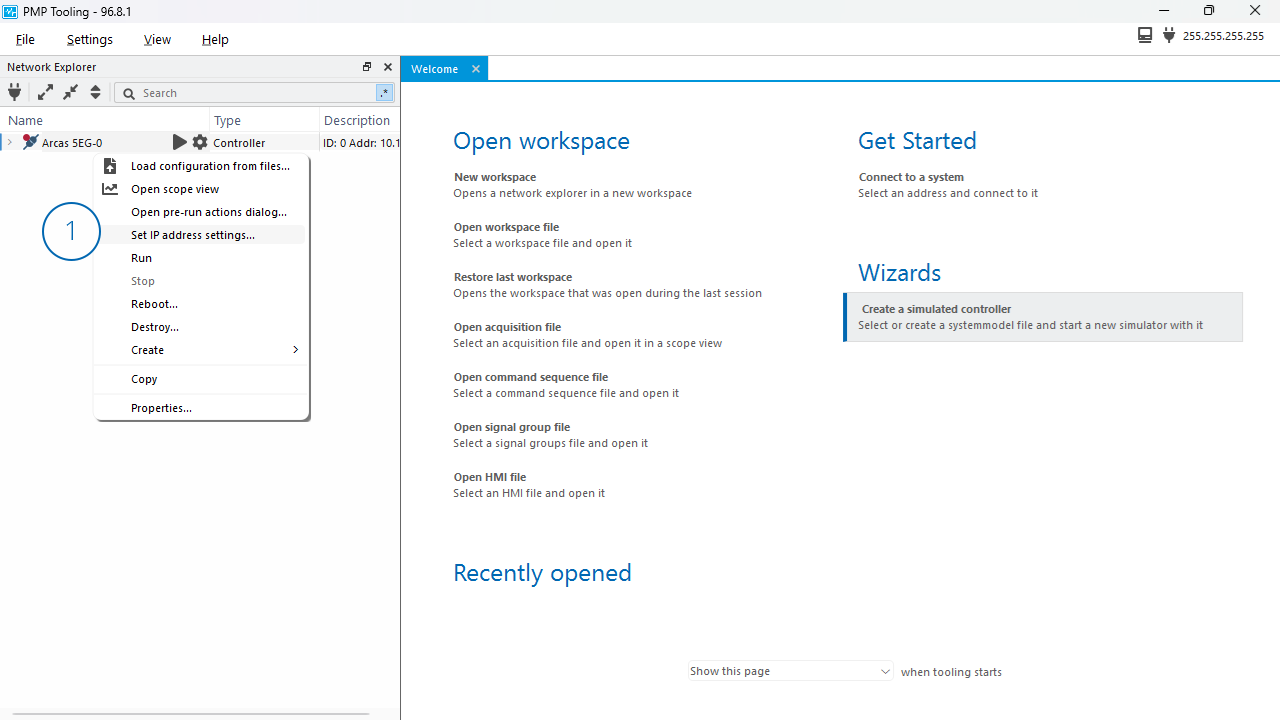
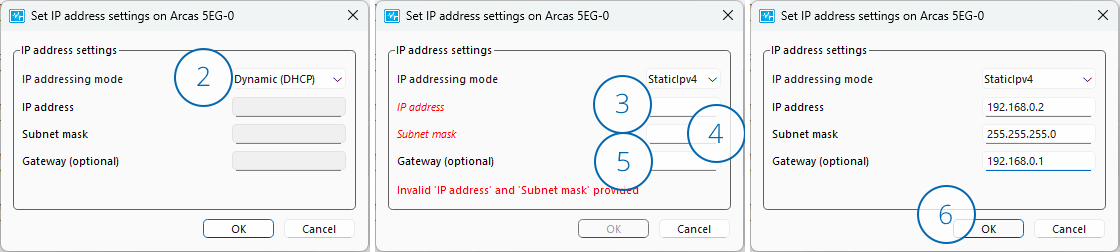
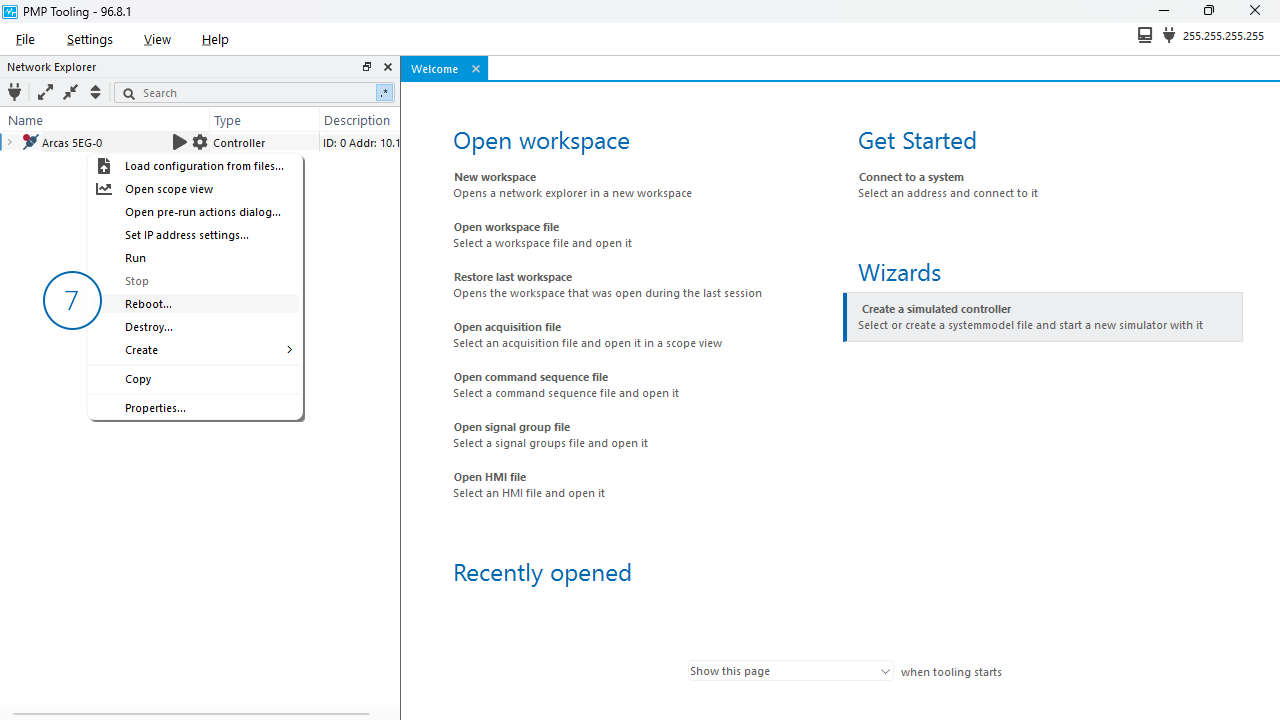
After the reboot, the controller is discoverable with the configured static IP address (when the host PC running the PMP Tooling is in the same subnet).
Note
Either a DHCP assigned IP address or a LLA is always assigned to a controller, even if the controller also has a static IP address configured. So you can always (re-)discover a PMP motion controller using either DHCP or LLA.